
Features
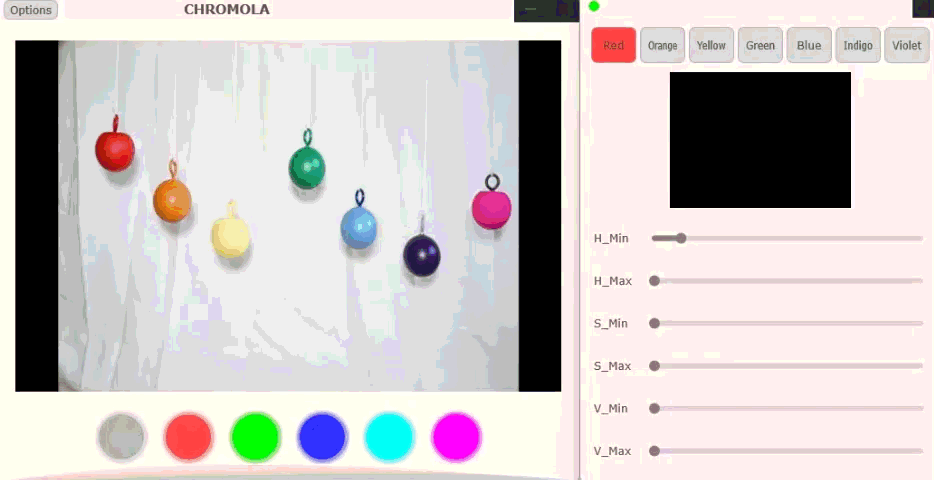
PixelPiano
Scans the video feed for seven colors and fires a MIDI note when it finds each one. Use the HSV masking controls to dial in exactly what counts as “red” or “blue” — then map each color to any pitch, port, or channel.
Note Assignment
- Static pitch — assign a fixed MIDI note directly in the plugin.
- Dynamic routing — Dedicate a MIDI port and channel, separate from the video effects, so you can change the pitch palette in real time from your DAW or controller.
HSV Masking
Use the three HSV sliders to dial in exactly what the engine recognises as each color:
- H (Hue) — Selects the pigment ("Red" vs "Orange"). Match this to your object.
- S (Saturation) — Controls intensity. High = vivid/neon. Low = pastel/washed. Lower Min Saturation for dim rooms.
- V (Value) — Controls brightness. Lower Min Value if you're working in a dark environment.
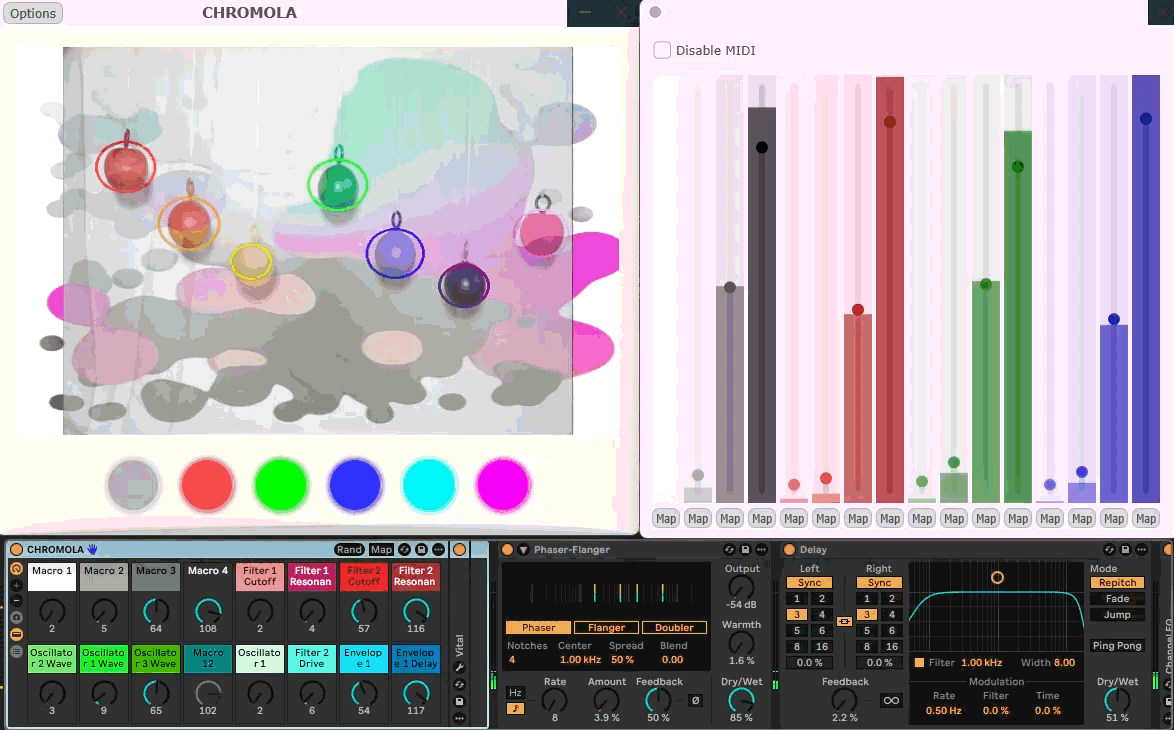
SpectraLFO
Turns light intensity into continuous MIDI modulation. The video feed is split into Red, Green, Blue, and Grayscale channels; within each channel, pixel density is measured across 4 spatial bins to produce 16 total data streams.
MIDI Mapping
Supports one-shot mapping — assign any of the 16 CC streams directly to a parameter in your DAW with a single move.
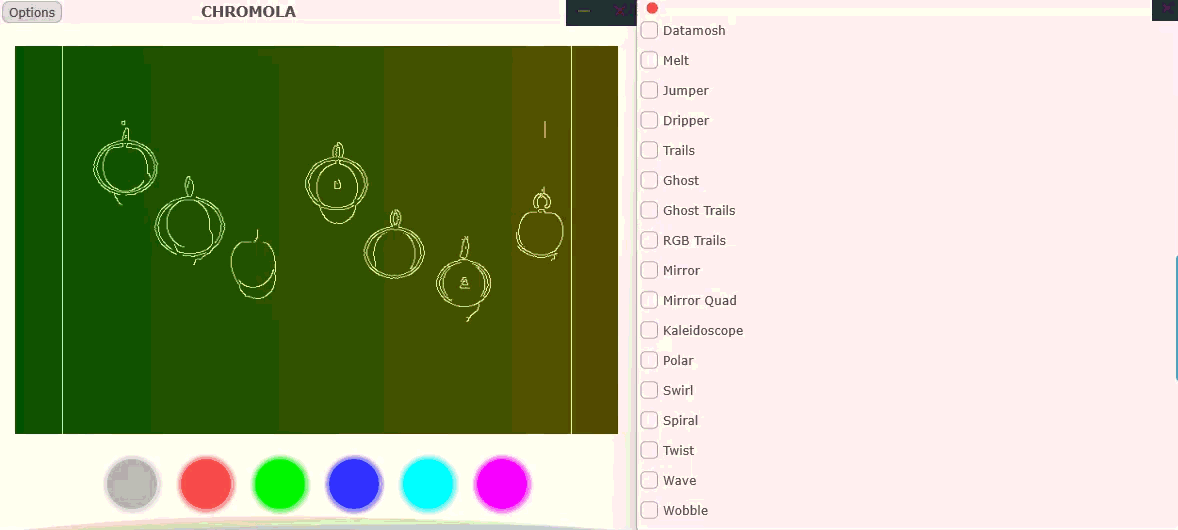
Video FX Engine
A visual pedalboard for glitching and distorting the video feed. Activate effects via MIDI notes — press to enable, release to bypass. Every slider is MIDI-learnable.
Effect Types
- Geometry — Tunnel, Twist
- Distortion — Melt, Glitch
- Color — Invert, Hue Shift
- Generators — Rainbow Bars
MIDI Trigger Range
Effects are triggered by MIDI Notes 37-99. Map these to pads or keys in your DAW to choreograph visual effects live.
MIDI Learn
Right-click any slider in the FX Engine to assign it to a hardware knob for hands-on control of individual effect parameters.
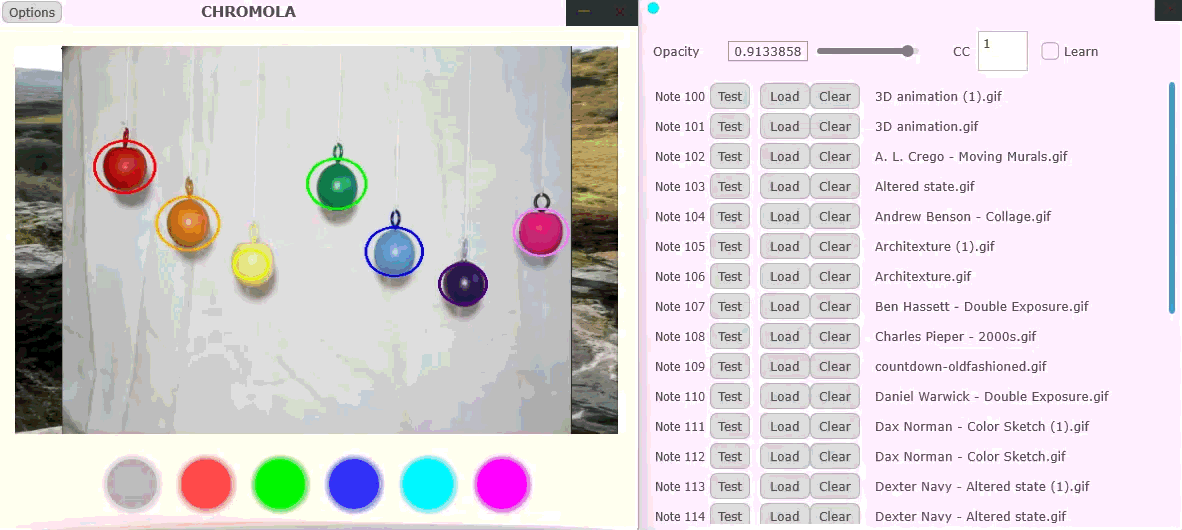
Media Sampler
Load up to 20 media files — images or video clips — and trigger them live via MIDI notes. A dedicated CC fader controls the blend level, letting you layer visuals into the feed the same way you’d crossfade audio samples.